
CLI Tool
ArtCraft Downloader
Download the latest releases of the Craft apps with one command. Windows, macOS and Linux.
Get it on GitHub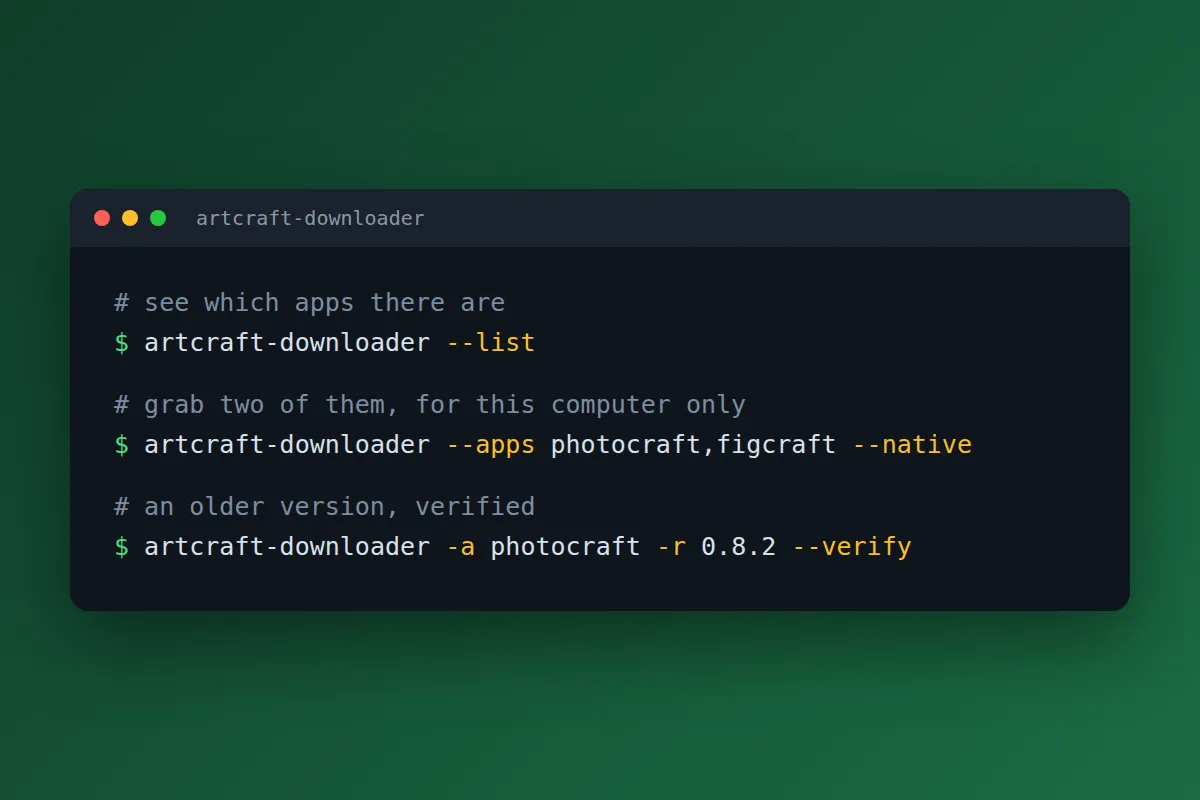
Features
Everything in one command
Run it with no arguments and it fetches the latest release of every app. Name the ones you want instead with --apps, and use --list to see what's available.
Older versions too
Ask for a specific version with --release, or a different version per app in the same run.
Filter what you download
Narrow things down by platform, CPU type and installer type, or use --native to match your own computer.
Verified downloads
Files are checked against the published SHA-256 checksums, and --verify re-checks what you already have.
Skips and resumes
Files you already have are skipped, and interrupted downloads pick up where they left off.
Tidy folders
Everything lands in an OS, App and Version folder layout, and --dest lets you choose where.
One file, nothing to install
No installer, no Python, nothing else required. Download it, make it executable if you need to, and run it.
Script-friendly
Exit codes are designed for scheduled updates, so it behaves in cron jobs and task schedulers.
Windows, macOS and Linux
Builds for Windows (Intel/AMD and ARM), macOS (Intel and Apple Silicon) and Linux (x86_64 and aarch64).
What it is
ArtCraft Downloader is a command-line tool that downloads installers and archives for the “Craft” apps that storytold publishes on GitHub: PhotoCraft, VectorCraft, FilmCraft, LightCraft, PdfCraft, EffectCraft, DesignCraft, FigCraft, WordCraft, SoundCraft, DeckCraft, CADCraft, GridCraft and ArtCraft-Launcher. One command, the files you want, in a sensible folder layout, instead of visiting a pile of release pages and clicking things.
ArtCraft Downloader is independent. It is not affiliated with, or endorsed by, storytold or the ArtCraft apps, and the files it downloads remain subject to their own terms.
Try it
# show the app names
artcraft-downloader --list

# one app (or several: photocraft,figcraft)
artcraft-downloader --apps photocraft

# everything, about 17 GB (you've been warned)
artcraft-downloader

# only 64-bit Windows files
artcraft-downloader --os windows --arch x64

# only 64-bit .deb packages
artcraft-downloader --format deb --arch x64

# only files that fit this computer
artcraft-downloader --native

# a specific older version
artcraft-downloader -a photocraft -r 0.8.2

# a different version per app
artcraft-downloader -a pdfcraft=0.7.1 -a deckcraft=0.6.1

# choose the destination folder
artcraft-downloader --dest /mnt/storage/artcraft

# re-check files against their checksums
artcraft-downloader --verify

# every option
artcraft-downloader --help
Install it
Download the file for your system from the latest release:
| File | For |
|---|---|
artcraft-downloader-windows-x64.exe |
Windows 10 and 11 (Intel/AMD) |
artcraft-downloader-windows-arm64.exe |
Windows 11 on ARM |
artcraft-downloader-macos-universal |
macOS, Intel and Apple Silicon |
artcraft-downloader-linux-x86_64 |
Linux, Intel/AMD 64-bit |
artcraft-downloader-linux-aarch64 |
Linux, ARM 64-bit |
- Optionally rename it to
artcraft-downloader(with.exeon Windows). - On Linux and macOS, run
chmod +x artcraft-downloaderonce. - Run it from the folder where you want your collection. In Windows PowerShell, that’s
.\artcraft-downloader.exe.
On first run, macOS or Windows may ask you to confirm that you want to open a program from an unidentified developer. The user guide walks through those steps.
Safe downloads
Every file it downloads is checked against the published SHA-256 checksums, and --verify checks
them again whenever you like. You can also compare any download with the SHA256SUMS.txt published
alongside the same release. The repository hosts the compiled releases, the documentation and the
issue tracker. The source code isn’t published there.
License
It’s free to use for any purpose, including commercial and business use, and you may share
unmodified copies for free. You may not sell it, resell it or put it behind a paywall. If you
include it in your own product or documentation, please credit it: “Includes ArtCraft-Downloader by
DoggByte”. There’s no warranty and no liability. The full terms are in LICENSE.txt in the
repository.
Documentation and support
The user guide covers installation, every option, recipes, scheduling, troubleshooting, limitations and an FAQ. The changelog tracks what changed in each version.
Found a problem or want a feature? Open an issue on the
GitHub repository and include the output
of artcraft-downloader --version, your operating system and the command you ran.
Specifications
- Type
- Command-line tool
- Platform
- Windows 10 and 11, macOS, Linux
- Delivered as
- One self-contained file
- License
- Free to use for any purpose, including commercial. Not to be sold or put behind a paywall

