
Web App · Coming soon
PICO-m8
Manage every part of your PICO-8 project in one web app. Installable, and saved locally in your browser.
Features
One interface for the whole project
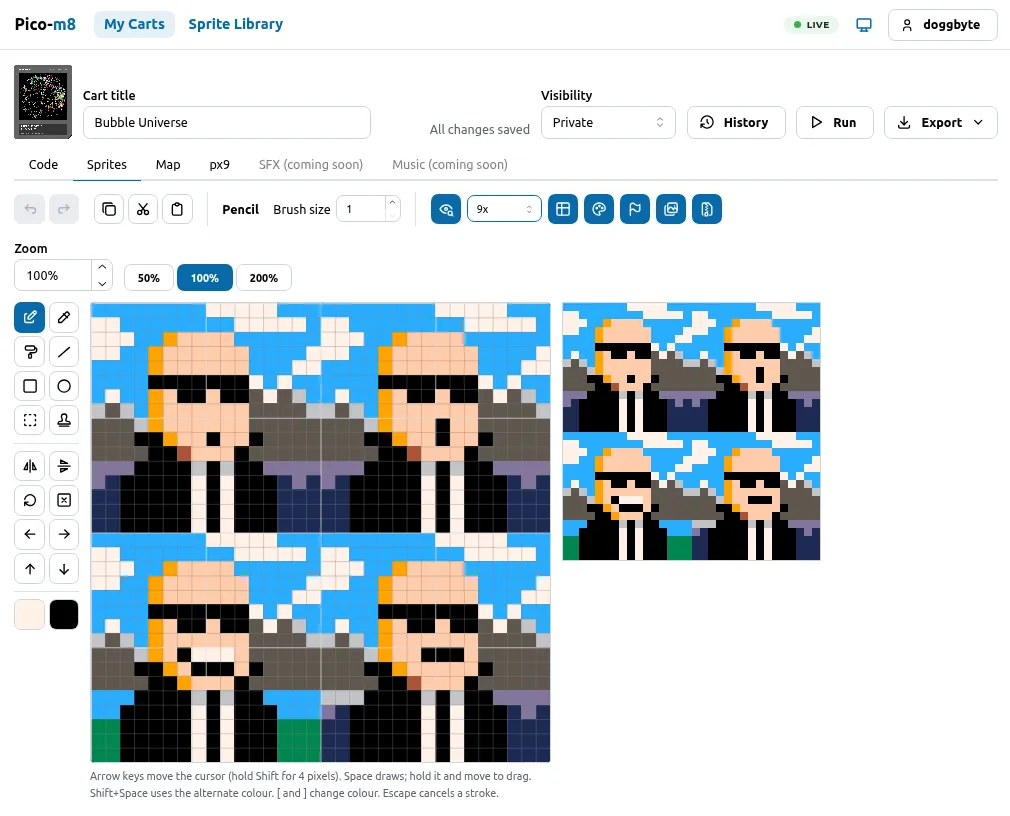
Code, Sprites, Map and px9 live in one web interface, with SFX and Music on the way.
A proper sprite editor
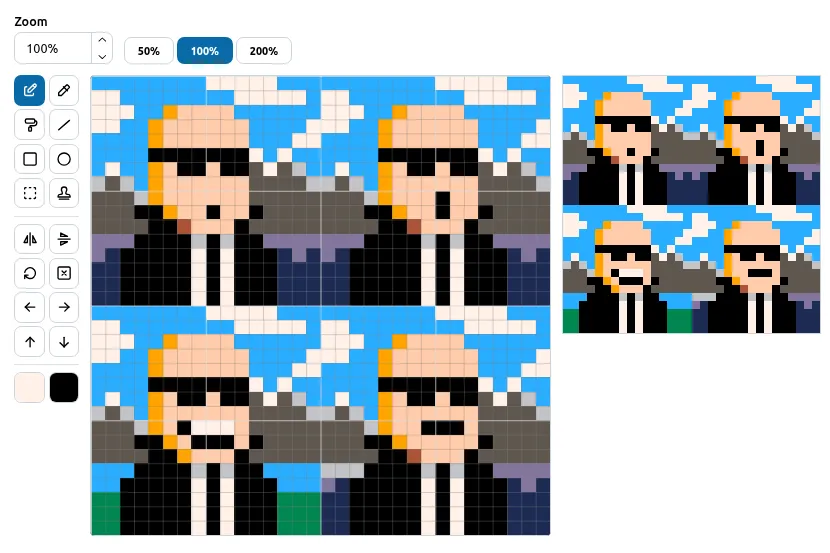
Pencil, eraser, fill, line, rectangle, circle, select and stamp, plus flip, rotate, shift, undo and redo, and zoom. You can draw from the keyboard too.
Run and export
Run your cart from the editor, and export it when you're done.
Pick up where you left off
Changes are saved as you go. Lose the tab, open it again, and carry on where you left off. There's a History view for your cart too.
Installable PWA
Built as a Progressive Web App, so you can install it on your computer through your browser.
Saved in your browser
Everything is stored locally in your browser. Nothing has to go anywhere else.
Light and dark modes
Both themes are available by default, so it's comfortable at any time of day.
Privacy and security first
Privacy and security are first-class citizens here, built in from the start and not bolted on at the end.
My Carts and Sprite Library
Your carts and a Sprite Library are one click away in the main navigation.
What it is
PICO-m8 is a web app that manages every part of your PICO-8 project through one unified interface. Your code, your sprites, your map and your px9 data sit side by side in tabs, with SFX and Music marked “coming soon”, so you’re not hopping between tools and file folders just to finish one cart. Open a cart, flip to the Sprites tab, draw, press Run, and carry on.
The sprite editor already has the tools you’d hope for: pencil, eraser, fill, line, rectangle,
circle, select and stamp, flip, rotate and shift, undo and redo, and zoom at 50%, 100% and 200%. You
can draw from the keyboard as well: the arrow keys move the cursor, Space draws, and [ and ]
change colour.
A PWA that lives in your browser
I coded PICO-m8 for the web, so I leaned on the PWA (Progressive Web App) approach. In plain terms: you can install it on your computer straight from your browser, and it behaves like an app, without a download page, an installer, or a “please create an account” screen.
Everything you make is saved locally in your browser, and your carts stay on your machine. It also keeps up with you: if you lose the tab, just open it again and continue where you left off. Nothing to restore, nothing to re-import, and no sinking feeling.
Light, dark, and private
Light and dark modes are there by default, so it looks right whichever you prefer.
Privacy and security are first-class citizens in PICO-m8, not an afterthought. It’s built that way from the start, the same philosophy behind everything I make, and it’s one reason your work stays in your browser.
Where it stands: alpha
PICO-m8 is in alpha. That’s a polite way of saying “expect rough edges, and tell me when you find them”. It already does a lot, and it’s getting better.
Want to test it?
I’m looking for testers. If you’re interested, let me know and I’ll add you to the testing crew. Alpha testers get to break things early, and I get to fix them before they bite anyone else. A fair trade, I think.
Gallery
Specifications
- Type
- Web app (PWA)
- Works in
- Your browser, installable on your computer
- Storage
- Saved locally in your browser
- Themes
- Light and dark, by default
- Stage
- Alpha